



















Dual-Monitor Setups: Choosing Frames for Peripheral Clarity
TL;DR: Your Guide to Dual-Monitor Glasses
- Problem: Using two monitors with frames that are too narrow forces constant head turning, leading to chronic neck and shoulder pain.
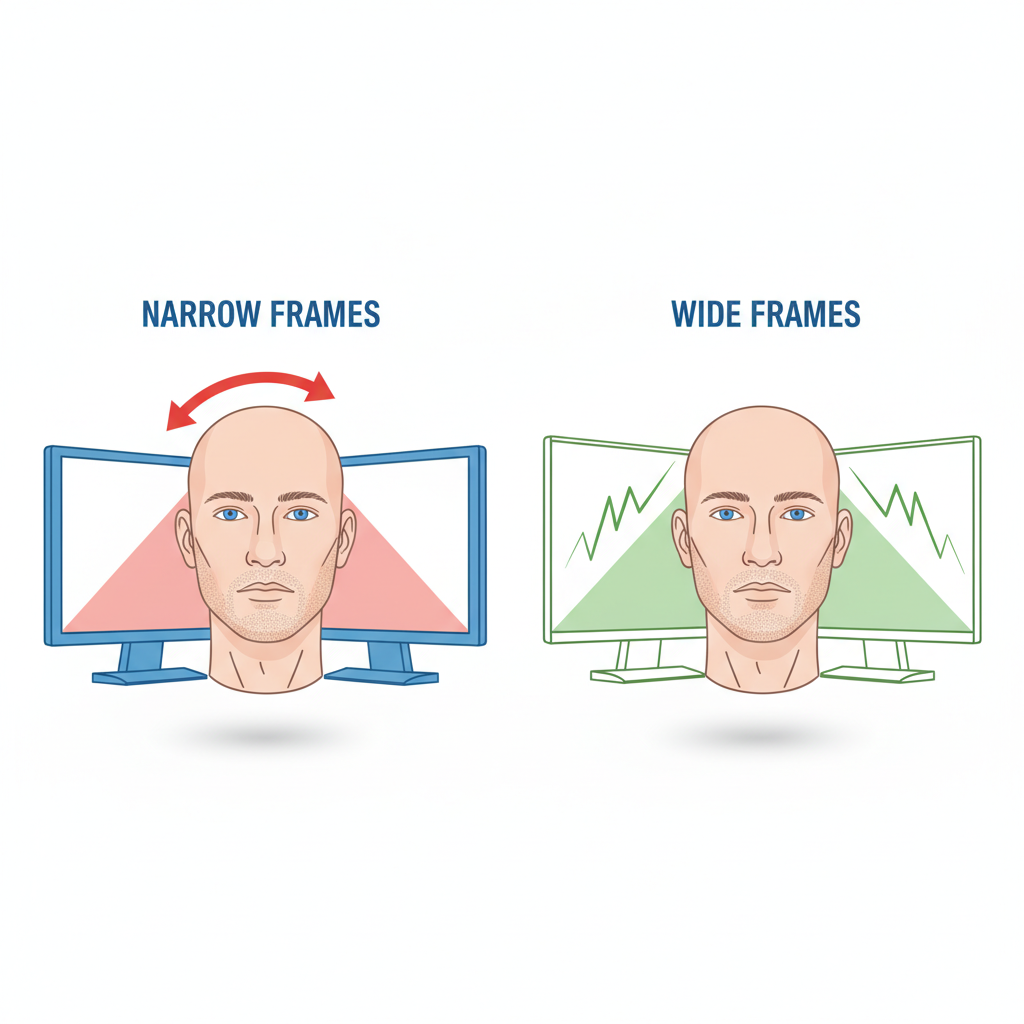
- Frame Width is Key: Your frames should be wide enough to let you see both screens with minimal head movement. A good rule of thumb is that you shouldn't need to turn your head more than 10 degrees to see the edge of a monitor.
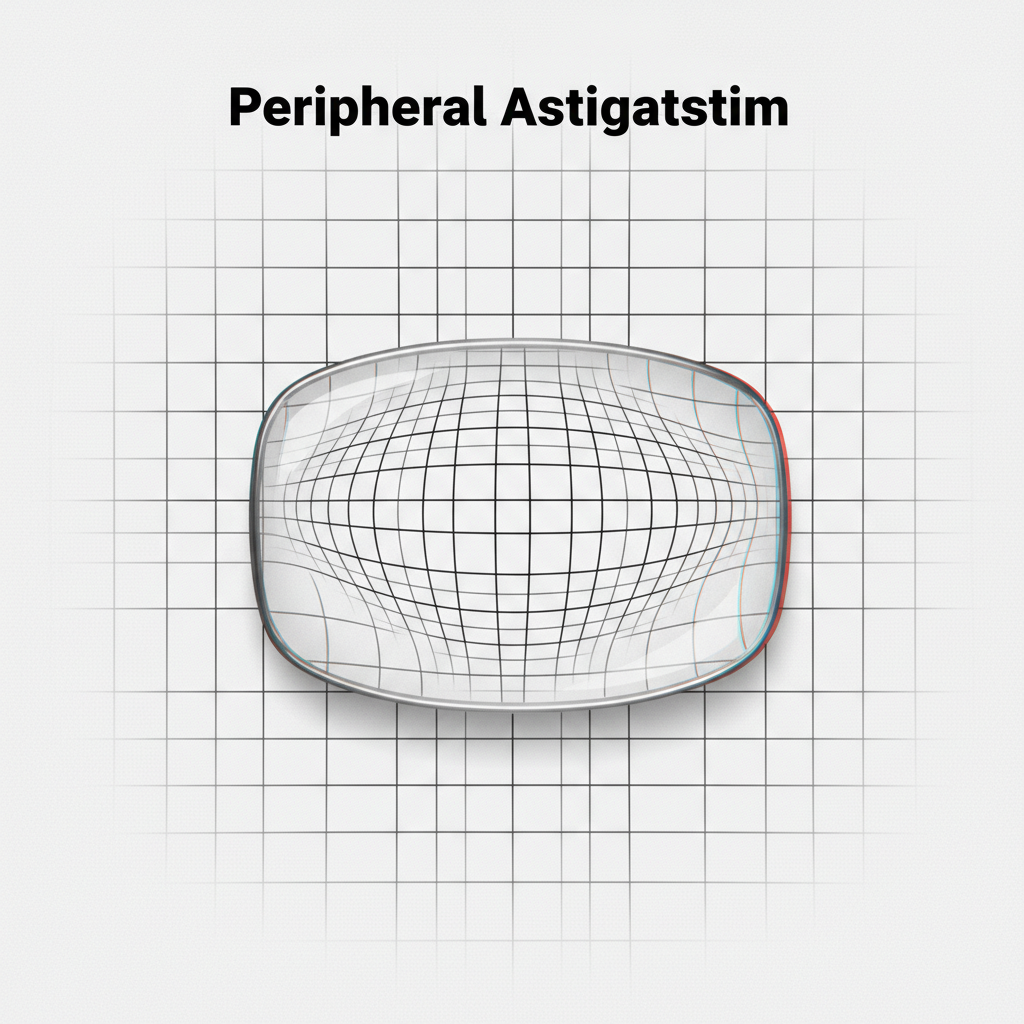
- Flat is Better for High Prescriptions: If your prescription is strong (above +/- 4.00D), avoid curved or "wrapped" frames. They can induce peripheral distortion, making the edges of your screens blurry.
- Nose Pads Aren't Just for Comfort: Adjustable nose pads allow an optician to fine-tune the "vertex distance," which can slightly alter the lens power to perfectly focus on your screens, which are at an intermediate distance.
The Hidden Ergonomic Flaw in Your Workspace
As a professional who relies on a dual-monitor setup, you’ve invested in productivity. You have the ergonomic chair, the adjustable desk, and the high-refresh-rate screens. Yet, a persistent, dull ache in your neck and shoulders suggests something is still wrong. The culprit might be sitting right on your face.
The most common mistake digital professionals make is choosing eyeglass frames based on aesthetics alone. While style is important, for a high-volume user, frame geometry is a critical productivity and ergonomic tool. According to practitioners, forcing your eyes to peer through narrow frames at two wide screens is a primary cause of repetitive strain. This creates a "keyhole" effect, forcing you to constantly turn your head to switch between monitors. A few hours of this is enough to cause significant neck strain.
An optimal setup allows your head to remain relatively still, using slight eye movements to scan across your digital workspace. This is only possible when your frames provide a wide, clear field of peripheral vision.
A Practical Guide to Selecting Dual-Monitor Frames
Choosing the right frames isn't about finding the largest pair possible. It’s about matching the frame geometry to your prescription and your specific work habits. Here are three practical heuristics to guide your selection.
1. The Wide-Field Heuristic
Your primary goal is to maximize your horizontal field of view. When looking straight ahead at the space between your two monitors, your lenses should comfortably encompass the majority of both screens.
Shop Heuristic: A practical self-check is to put on the frames and look at your dual-monitor setup. If you have to turn your head more than about 10 degrees to clearly see the outer edge of either screen, the frame is likely too obstructive and will cause strain over time. You want your eyes to do the work, not your neck.
This simple test ensures the frames are wide enough to support your natural workflow, reducing the need for constant, fatiguing head movements.
2. The Flat-Front Rule for High Prescriptions
For users with a strong prescription—typically defined as ±4.00 diopters or higher—frame curvature becomes a critical factor. Highly curved or "wrapped" style frames, while sporty, can introduce significant optical distortions like peripheral astigmatism. This can make the edges of your monitor appear blurry, warped, or out of focus, negating the benefit of a wider frame.
As we've discussed in our guide on how lens curvature affects high-prescription vision, a flatter frame front is crucial for maintaining edge-to-edge clarity. This ensures the lens surface remains more parallel to your eye, minimizing the distortion that occurs when looking through the periphery of the lens.
3. The Power of Adjustable Nose Pads
Adjustable nose pads are more than a comfort feature; they are a critical tool for optical fine-tuning. Their primary ergonomic function is to control the vertex distance—the precise distance between the back of the lens and the front of your eye.
This distance can subtly change the effective power of your prescription. As a rule of thumb, for every 2mm change in vertex distance, the effective power of the lens can shift by approximately 0.25 diopters. For a power user trying to nail the perfect intermediate focus for a screen that’s 20-30 inches away, this micro-adjustment is crucial. It allows an optician to perfectly calibrate your vision for your specific desk setup, something a fixed plastic bridge cannot do.
Beyond the Frame: Integrating Glasses into Your Ergonomic System
Your glasses are one component in a holistic ergonomic system. To truly optimize your workspace for visual comfort and productivity, you must consider how your frames, lenses, and environment work together.
- Workspace Setup: Position your monitors correctly. According to guidelines aligned with the ANSI/HFES 100-2007 standard, the top of your screens should be at or slightly below eye level. A University of Utah study found that dual monitors can increase productivity significantly, but only if they are positioned to minimize neck movement.
- Lens Technology: Pair your well-chosen frames with the right lenses. An anti-reflective (AR) coating is non-negotiable, as it reduces glare from overhead lighting and the screens themselves. If you have presbyopia, consider occupational progressive lenses, which have a larger intermediate zone designed specifically for computer use, rather than using off-the-shelf reading glasses that are set for a much closer distance.
- Behavioral Habits: Remember to practice good visual hygiene. Use the "20-20-20 rule" recommended by ophthalmologists: every 20 minutes, look at something 20 feet away for at least 20 seconds. According to the Cleveland Clinic, this helps relax your eye's focusing muscles and prevent strain.
Frequently Asked Questions
Q: Why do I still get headaches with my dual monitors, even after buying new glasses?
A: This often points to a mismatch between your glasses and your setup. The most likely causes are frames that are too narrow, an incorrect pupillary distance (PD) measurement for intermediate vision, or uncorrected astigmatism. It could also be that the vertex distance needs adjustment—a task for your optician.
Q: Are blue light blocking glasses necessary for reducing eye strain?
A: The current scientific consensus is that blue light from screens does not cause eye damage or digital eye strain. A landmark 2024 Cochrane review found no clear evidence that blue-light filtering lenses reduce visual fatigue. Eye strain is primarily caused by reduced blink rates and focusing effort. However, as we cover in our guide to digital eye strain, blocking blue light in the evening can be a useful tool for regulating your sleep cycle.
Q: Can I just use my regular reading glasses for my computer?
A: This is not an ideal solution. Standard reading glasses are designed for a close-up distance of about 16 inches, whereas your computer monitors are likely 20-30 inches away. Using readers for your computer can cause you to lean forward, leading to back and neck pain. Custom-made computer glasses or occupational progressives are the superior ergonomic choice.
This article is for informational purposes only and does not constitute professional medical advice. Consult a qualified optometrist or ophthalmologist to address your specific vision needs, especially if you have pre-existing conditions.


