














Optimal Screen Settings for Post-Op Eyes: Brightness & Contrast.
TL;DR: Your 5-Step Screen Comfort Checklist
- Match Your Brightness: Adjust your screen so its white background matches the brightness of a piece of paper held next to it.
- Use High Contrast or Dark Mode: In your system settings, choose a high-contrast theme or switch to "Dark Mode," especially in the evenings, to reduce pupil strain.
- Warm Up Your Colors: Activate "Night Shift" (Apple), "Night Light" (Windows), or "Eye Comfort Shield" (Android) to create a softer, warmer display.
- Enlarge Your Text: Increase the default font size on your devices by 10-25% to make reading effortless.
- Practice the 20-20-20 Rule: Every 20 minutes, look at something 20 feet away for at least 20 seconds to reset your blink rate and relax your focusing muscles.
The Post-Op Challenge: Why Screens Feel Different After Surgery
Following eye surgery like LASIK, your eyes are in a delicate healing state. While the goal is clearer vision, the immediate aftermath often brings temporary symptoms that can make screen time challenging. Understanding these changes is the first step toward managing them effectively.
Common post-operative symptoms include:
- Light Sensitivity (Photophobia): Bright lights and glare can feel overwhelming. A study of post-LASIK patients found that 19.7% reported issues with glare six months after the procedure, with halos also being a common complaint (Bailey & Zadnik, PubMed). Your screen is a direct source of light, and healing eyes are more sensitive to its intensity.
- Dry Eye: The surgical process can temporarily disrupt the nerves that signal tear production. Compounding this, people's blink rate naturally drops from about 15 times per minute to as low as 5-7 times per minute when staring at a screen, according to the American Academy of Ophthalmology (AAO). This reduced blinking dries the ocular surface, causing a gritty or burning sensation.
- Visual Fatigue: Your eyes are working hard to heal. The constant focusing and re-focusing required for digital tasks can exhaust the ciliary muscles, leading to headaches and a feeling of strain.
The goal of optimizing your screen settings is to minimize this workload. By reducing glare, minimizing drastic changes in light, and making text easier to see, you create a low-stress environment that supports comfortable healing.
Mastering Brightness: The "Paper White" Principle
A common mistake patients make is turning their screen brightness all the way down in a dark room. While it seems intuitive, this actually forces your pupils to dilate to see the screen and then constrict to deal with the surrounding darkness, causing unnecessary strain. The most effective strategy is to match your screen's luminance to your environment.
Here’s a simple, powerful heuristic we recommend in clinical practice: The Paper White Test.
- Open a blank white document or a page with a white background on your screen.
- Hold a physical piece of white paper next to your monitor.
- Adjust your screen’s brightness until the white on the screen has the same visual brightness as the paper. The screen should look like a calm source of light, not a glowing beacon.
This simple calibration ensures your screen blends into your ambient environment. It aligns with guidance from occupational health bodies like OSHA, which recommend lower illuminance levels for screen-based work compared to paper tasks to reduce glare and visual washout (OSHA). Your screen becomes just another object in the room, not a harsh light source your eyes have to fight against.

Contrast and Color: Reducing Pupillary Workload
Beyond brightness, the contrast and color of your display play a huge role in visual comfort. The key is to reduce the amount of work your pupils have to do.
The Power of High Contrast and Dark Mode
Every time your gaze shifts from dark text to a bright white background, your pupils must adjust. Over thousands of times a day, this adds up to significant fatigue. This is where high-contrast settings and "Dark Mode" become essential tools for recovery.
- High-Contrast Mode: An accessibility feature in most operating systems that makes text bolder and clearer against its background.
- Dark Mode: This inverts the standard color scheme, presenting white text on a black or dark gray background. Especially in a dimly lit room, this dramatically reduces the overall light emitted from the screen.
Research confirms that using Dark Mode can significantly increase blink frequency and reduce the pupillary effort needed to focus, particularly in low-light environments (IEEE). For a healing eye, this reduction in workload is a significant benefit.
Expert Insight: The primary benefit of Dark Mode for post-op eyes isn't just reduced brightness; it's the stability. Your pupil isn't constantly making micro-adjustments between bright and dark elements, which is a major source of fatigue.
The Truth About Blue Light and Post-Op Comfort
Blue light has been a major topic in eye health, but it's important to separate marketing from science. Authoritative sources like the American Academy of Ophthalmology state there is no scientific evidence that blue light from digital devices causes damage to the retina. Furthermore, a gold-standard Cochrane review found no clear evidence that blue-light filtering lenses reduce computer-related eye strain in the short term (Cochrane).
So, why do so many people report comfort from "night modes"?
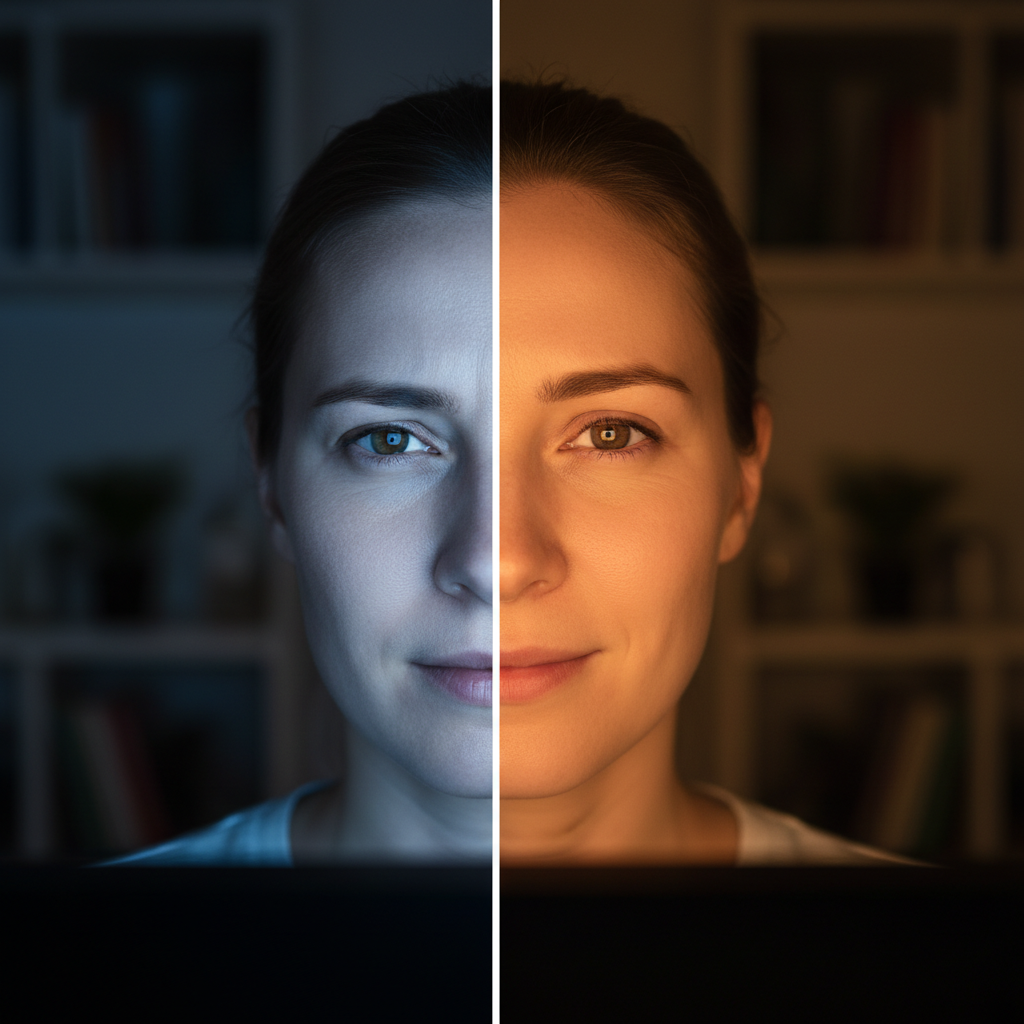
The real benefit isn't blocking blue light itself, but shifting the screen’s color temperature to be warmer (more yellow and red).
As we observe in practice, a harsh, blue-toned white light causes a reflexive squinting response, especially in light-sensitive eyes. Warmer tones are perceptually "softer" and less stimulating, allowing your eye muscles to relax. This is especially critical for managing sleep, as blue light is proven to suppress melatonin, the hormone that regulates your sleep cycle (PMC).
Actionable Step: Instead of buying special glasses, use the free, built-in software on your devices:
-
Apple Devices: Go to
Settings > Display & Brightness > Night Shiftand schedule it to be warmer from sunset to sunrise. -
Windows: Go to
Settings > System > Display > Night light. -
Android: Look for
Eye Comfort ShieldorNight Modein your display settings.
Beyond the Pixels: Ergonomics and Habits for Healing
Proper screen settings are crucial, but they work best as part of a holistic approach to visual recovery. Integrate these habits into your daily routine.
-
Enlarge Your Text: One of the easiest and most effective changes you can make is to increase the default font size on your computer and phone. Research shows that both font size and high contrast are critical for optimal reading speed and comfort (PMC). A 10-25% increase is a great starting point.
-
Embrace the 20-20-20 Rule: This is non-negotiable, especially post-op. As recommended by clinicians at the Cleveland Clinic, set a timer to remind you to take a 20-second break every 20 minutes to look at something 20 feet away. For a deeper dive, see our guide on Maximizing the 20-20-20 Rule for Prescription Lens Wearers.
-
Blink Actively and Completely: Since you're blinking less, make the blinks you do take count. Consciously perform full, complete blinks during your 20-20-20 breaks to re-coat your cornea with a fresh layer of tears.
-
Use Artificial Tears as Prescribed: Your surgeon likely recommended lubricating eye drops. Use them consistently, especially before and during long screen sessions, to combat the drying effects of reduced blinking.
-
Favor Glasses Over Contacts: During the initial healing phase, glasses are generally preferable to contact lenses for extended screen use. According to the AAO, glasses allow more oxygen to reach the cornea and don't exacerbate dryness in the same way contacts can.
Frequently Asked Questions
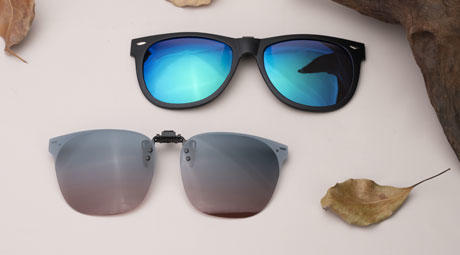
Q1: Should I buy blue-light blocking glasses for my recovery? While they aren't harmful, the primary comfort you feel from them likely comes from a slight magnification or a warm-colored tint. A more direct and cost-effective approach is to use your device's built-in "night mode" to warm the color temperature. Scientific evidence does not support blue-blocking lenses for reducing digital eye strain.
Q2: Is it better for my healing eyes to work in a dark room? No, this is a common myth that actually increases eye strain. Your screen should not be the only source of light. It's best to work in a softly and evenly lit room where your screen's brightness is balanced with the surrounding light.
Q3: How long will my eyes be this sensitive to screens? This varies greatly from person to person and depends on the type of surgery. Generally, significant sensitivity lessens within the first few weeks. However, adopting these ergonomic screen habits can provide comfort and reduce eye strain long after you've fully recovered.
Q4: Can using the wrong screen settings damage my eyes or ruin my surgery? It is extremely unlikely that screen settings will cause physical damage or negatively impact your surgical outcome. However, they can cause significant discomfort, including headaches, severe dry eye, and fatigue. This can make your recovery feel slower and more difficult. These guidelines are designed to promote optimal comfort, which creates a better environment for your eyes to heal.
Taking control of your digital environment is an active and empowering part of your surgical recovery. By thoughtfully calibrating your screens for brightness, contrast, and color, you can minimize discomfort and create a visual space that supports, rather than hinders, the healing process. These small adjustments can make a world of difference in your day-to-day comfort as you enjoy the benefits of your new vision.
Disclaimer: This article is for informational purposes only and does not constitute professional medical advice. Always follow the specific instructions and recommendations provided by your ophthalmologist or surgeon regarding your post-operative care. If you experience severe pain, sudden vision changes, or other concerning symptoms, contact your doctor immediately.
References
- Bailey, M. D., & Zadnik, K. (2007). Outcomes of LASIK for myopia with FDA-approved lasers. Cornea, 26(3), 246–254. https://pubmed.ncbi.nlm.nih.gov/17413947/
- American Academy of Ophthalmology. (2021). Computer Use. https://www.aao.org/eye-health/tips-prevention/computer-usage
- U.S. Department of Labor, Occupational Safety and Health Administration. Computer Workstations eTool: Workstation Environment. https://www.osha.gov/etools/computer-workstations/workstation-environment
- Fostervold, K. I., et al. (2021). The Effect of Dark Mode on Visual Fatigue and Acuity in Optical See-Through Head-Mounted Displays. IEEE Access, 9, 30979-30990. https://ieeexplore.ieee.org/document/9363189/
- Lawrenson, J. G., et al. (2024). Blue-light filtering spectacle lenses for visual performance, sleep, and macular health in adults. Cochrane Database of Systematic Reviews. https://pubmed.ncbi.nlm.nih.gov/37593770/
- Sajgo, S., et al. (2025). Blue light exposure and the circadian system. Frontiers in Neurology. https://pmc.ncbi.nlm.nih.gov/articles/PMC12113466/
- Tar-Aping, T., & Oduntan, O. A. (2012). The effect of font size and contrast on reading in people with normal and low vision. South African Optometrist, 71(1). https://pmc.ncbi.nlm.nih.gov/articles/PMC3428264/
- Cleveland Clinic. (2022). Do Blue Light Blocking Glasses Actually Work? https://health.clevelandclinic.org/do-blue-light-blocking-glasses-actually-work


